Skip to product information
1 of 4

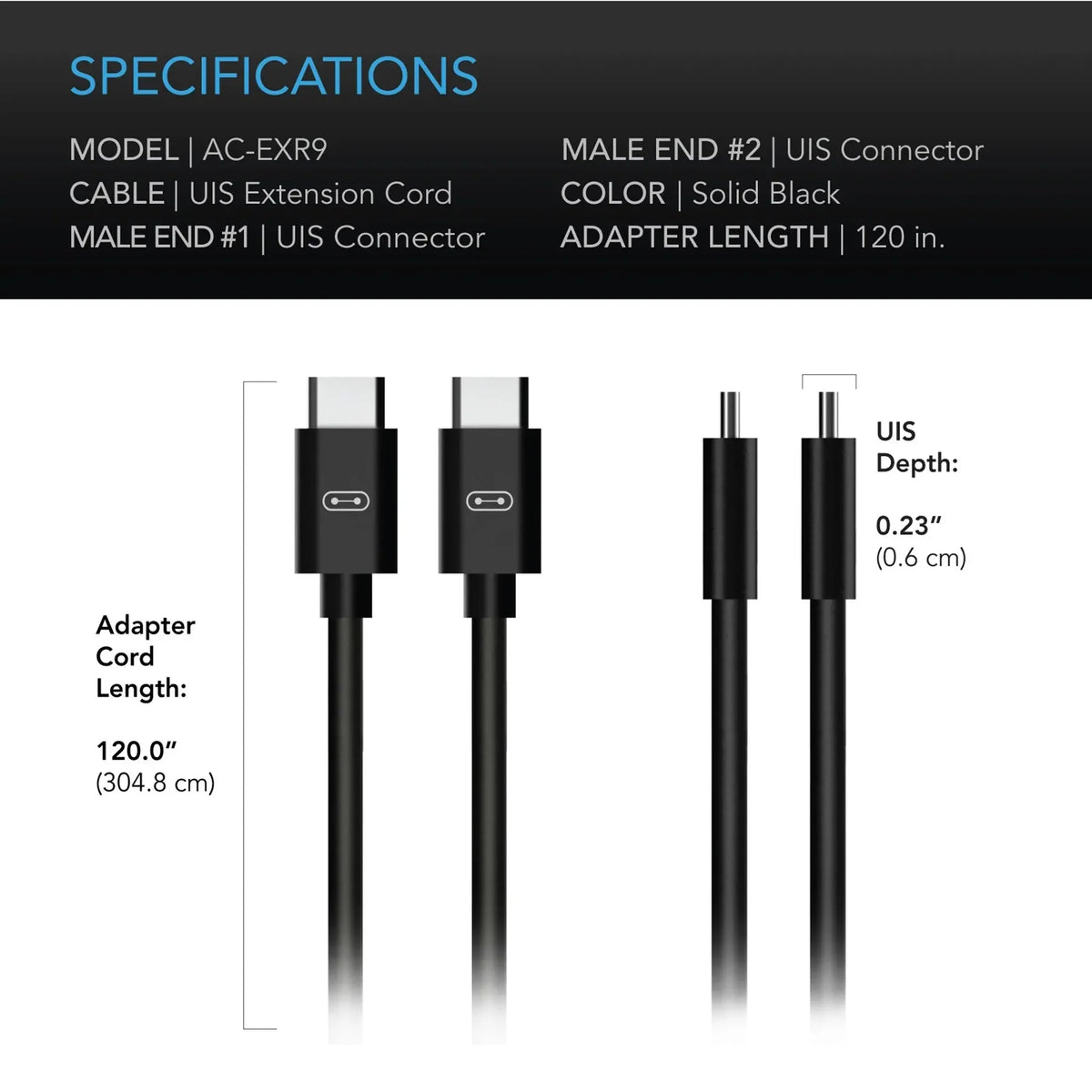
UIS to UIS Extension Cable | Male to Male 10ft Gen 1

Regular price £4.99
Sale price £4.99 Regular price
Sale Sold out
Tax included. Shipping calculated at checkout.
Extend Your Reach with Heavy-Duty Gen 1 UIS Connectivity
Gain complete layout flexibility in your indoor garden with the UIS to UIS Extension Cable (Male to Male, 10 Ft, Gen 1). Engineered specifically for standard Gen 1 smart ecosystem devices, this premium data extension cord bridges the gap between your hardware and central controller. If your standard cables are too short to reach across your grow tent or commercial facility, this 10-foot extension provides the length you need without sacrificing signal speed or data integrity.
Built with high-quality copper wiring and a durable outer protective jacket, this heavy-duty cable is designed to withstand harsh grow room conditions, including high humidity and fluctuating temperatures. It guarantees seamless, interference-free transmission of automated climate commands, fan speed data, and sensor tracking information, allowing you to position your gear precisely where your plant canopy requires it.

How to Use the Gen 1 UIS Extension Cable
Follow these simple steps to safely integrate this extension cable into your automated grow system.
1. Verify Ecosystem Generation
  • Ensure both your central controller and your target grow device (e.g., inline fan, carbon filter, or light) use Gen 1 UIS connection ports.
  • Note: This is a Male-to-Male cable; ensure your target hardware features corresponding female input sockets.
2. Connect Your Hardware
  • Turn off or disconnect the power supply to your central smart controller before inserting new data links.
  • Firmly insert one Male UIS end of the extension cable into your target smart device's data port until it sits securely.
  • Route the 10 ft cable safely along your grow tent poles or wall tracks to avoid creating a trip hazard.
  • Insert the remaining Male UIS end directly into an open port on your central controller.
3. Power On and Test Connection
  • Restore power to your smart controller.
  • Check the controller display screen or your mobile smart app to confirm that the connected hardware is recognized.
  • Test the data link by manually adjusting a setting (such as increasing fan speed) to verify instant communication.

Important Cable Care & Safety Practices
  • Avoid Tight Bends: Do not bend the cable at sharp 90-degree angles, as this can pinch the internal wiring and disrupt data transmission.
  • Keep Clear of Heat: Route the cable away from direct contact with high-heat components like ballast casings or heavy grow lights.
  • Moisture Safety: While splash-resistant, the connector pins must remain dry. Never lay connections on the floor where runoff water or liquid nutrients accumulate.
  • Express Delivery
  • Expert Advice
  • Visit Us Today
Secure checkout with Payment methods
  • American Express
  • Apple Pay
  • Diners Club
  • Discover
  • Google Pay
  • Klarna
  • Maestro
  • Mastercard
  • PayPal
  • Shop Pay
  • Union Pay
  • USDC
  • Visa

View Product Details