Skip to product information
1 of 7

UIS Lighting Adapter Type-D | For Control Wire Drivers

Regular price £11.99
Sale price £11.99 Regular price
Sale Sold out
Tax included. Shipping calculated at checkout.
Bridge Raw Wire Dimming Drivers with Modern Smart Automation
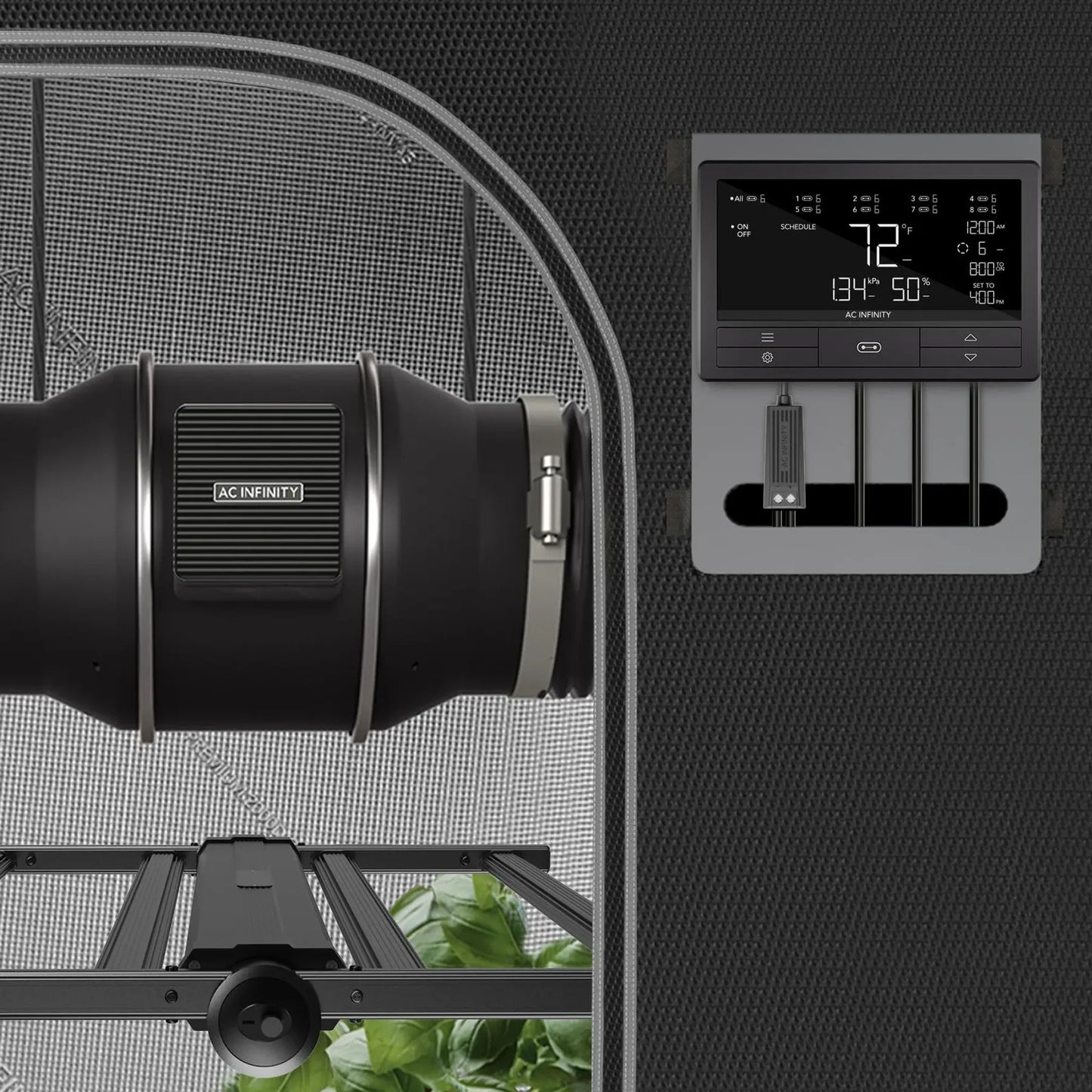
Bring your high-performance bare-wire LED fixtures into the smart era with the UIS Lighting Adapter Type-D. Engineered specifically for growers who utilize commercial fixtures with bare dimming terminal leads, this premium adapter dongle seamlessly connects third-party LED grow lights to your central smart control ecosystem. It eliminates the need for complicated wiring modifications, transforming raw control wires into plug-and-play smart links.
Designed for specialized compatibility, the Type-D adapter features a robust, secure terminal interface that clips directly onto your LED driver's open dimmer control wires. By bridging these raw signal lines to a central ecosystem controller, you gain total digital command over your daily lighting cycles. Say goodbye to manual potentiometer knobs and embrace hands-free automation that perfectly mimics natural solar cycles to boost plant health.

How to Use the UIS Lighting Adapter Type-D
Follow these straightforward steps to safely link, configure, and automate your wire-controlled LED grow lights.
1. Wire Connection (Power Off)
  • Ensure both your grow light system and your central controller are completely powered off and unplugged before starting.
  • Locate the positive (+) and negative (-) bare dimming control wires coming out of your LED driver.
  • Securely connect these raw leads to the matching terminal blocks on the UIS Lighting Adapter Type-D, verifying that polarity matches perfectly to prevent driver damage.
2. Hardware Ecosystem Link
  • Once the bare wires are safely secured inside the adapter terminal, route the wire away from high-heat components.
  • Plug the male UIS end of the Type-D adapter directly into an available port on your central smart ecosystem controller.
  • Plug your grow light driver back into its main power source.
3. Calibrate and Automate
  • Turn on your smart controller and open your system's mobile application.
  • Navigate to the specific port where the Type-D adapter is installed to verify it is recognized as a dimmable lighting device.
  • Schedule Mode: Define exact on and off times down to the minute to match your crop's vegetative or flowering stages.
  • Sunrise/Sunset Simulation: Program gradual dimming ramp-ups and ramp-downs over 10 to 30 minutes to reduce environmental shock on your plant canopy.

Key Specifications & Safety Practices
  • Universal Driver Support: Works with major commercial LED driver lines that utilize 0-10V, PWM, or resistance-based bare dimming leads.
  • Secure Terminal Lock: Built with heavy-duty internal gripping points to prevent bare control wires from slipping out due to room vibration.
  • Secure Routing: Mount the adapter body away from humid floor areas. Secure it directly to your overhead grow light chassis using zip ties to prevent accidental wire tension.
  • Express Delivery
  • Expert Advice
  • Visit Us Today
Secure checkout with Payment methods
  • American Express
  • Apple Pay
  • Diners Club
  • Discover
  • Google Pay
  • Klarna
  • Maestro
  • Mastercard
  • PayPal
  • Shop Pay
  • Union Pay
  • USDC
  • Visa

View Product Details