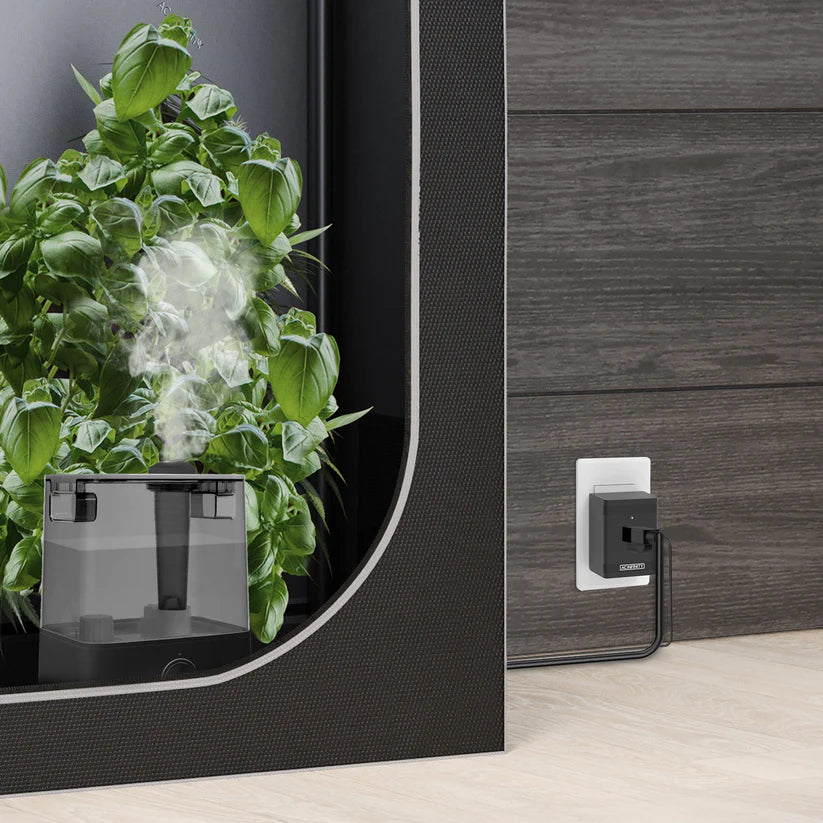
UIS Control Plug (UK Version) | For Outlet-Powered Gear
Regular price
£27.99
Sale price
£27.99
Regular price
Unit price
/
per
Sale
Sold out
Tax included.
Shipping calculated at checkout.
Couldn't load pickup availability
Smart Automation for Standard UK Mains Equipment
Integrate your existing ventilation, heating, and lighting gear into your smart grow ecosystem with the UIS Control Plug (UK Version). This heavy-duty smart adapter transforms standard, outlet-powered equipment into fully automated devices. By bridging the gap between traditional hardware and your central controller, it allows you to synchronise non-smart appliances with your automated environmental triggers.
Designed specifically for UK 3-pin plugs, this adapter offers a seamless, plug-and-play solution to modernise your grow room. Safely power and control high-draw hardware like oil-filled radiators, dehumidifiers, and auxiliary circulation fans. Maximise efficiency, reduce energy waste, and take absolute control over your environment by scheduling your equipment down to the exact minute.
How to Use the UK UIS Control Plug
Follow these simple steps to safely install and set up your new control plug with your smart grow ecosystem.
1. Plug and Play Hardware Setup
- Ensure your target equipment (e.g., a heater or dehumidifier) is turned off.
- Insert the equipment's standard UK 3-pin plug into the UIS Control Plug.
- Plug the UIS Control Plug directly into your wall socket or mains extension lead.
2. Connect to the Controller
- Take the included UIS data cable and connect one end to the side of the control plug.
- Plug the other end into an available port on your central UIS Controller (such as Controller 69 or Controller AI+).
- The controller will immediately recognise the plug as an on/off device.
3. Configure Your Device Type
- Open your smart controller interface or mobile app.
- Navigate to the specific port where the plug is connected and select the device type (e.g., "Heater" or "Dehumidifier").
- This ensures your automation logic works correctly (e.g., turning on a heater when temperatures drop).
4. Set Automation Triggers
- Schedule Mode: Set precise on/off times to match your light cycles.
- Auto Mode: Set high/low environmental thresholds (e.g., trigger the plug to turn on your dehumidifier only when relative humidity climbs above 60%).
Key Specifications & Safety Practices
- Compatibility: Designed strictly for standard UK 230V/240V mains outlets.
- Max Load Capacity: Always check your equipment's wattage to ensure it does not exceed the maximum rated amperage of the control plug.
- Keep Dry: Avoid placing the plug on the grow room floor where runoff water or nutrient spills could occur.
- Express Delivery
- Expert Advice
- Visit Us Today
Secure checkout with
Payment methods
-
Vendor:
AC Infinity
- Tags: Ac infinity, Cables & connectors, Enviroment

-
Fast Delivery
Quick turnaround and reliable shipping across the UK.
-
Expert Support
Knowledge from hydroponic specialists .
-
Visit Us Today
Come and explore our products, systems and growing solutions.
-
Discreet Delivery
Plain packaging and secure shipping for complete privacy.
- Choosing a selection results in a full page refresh.
- Opens in a new window.