Skip to product information
1 of 1

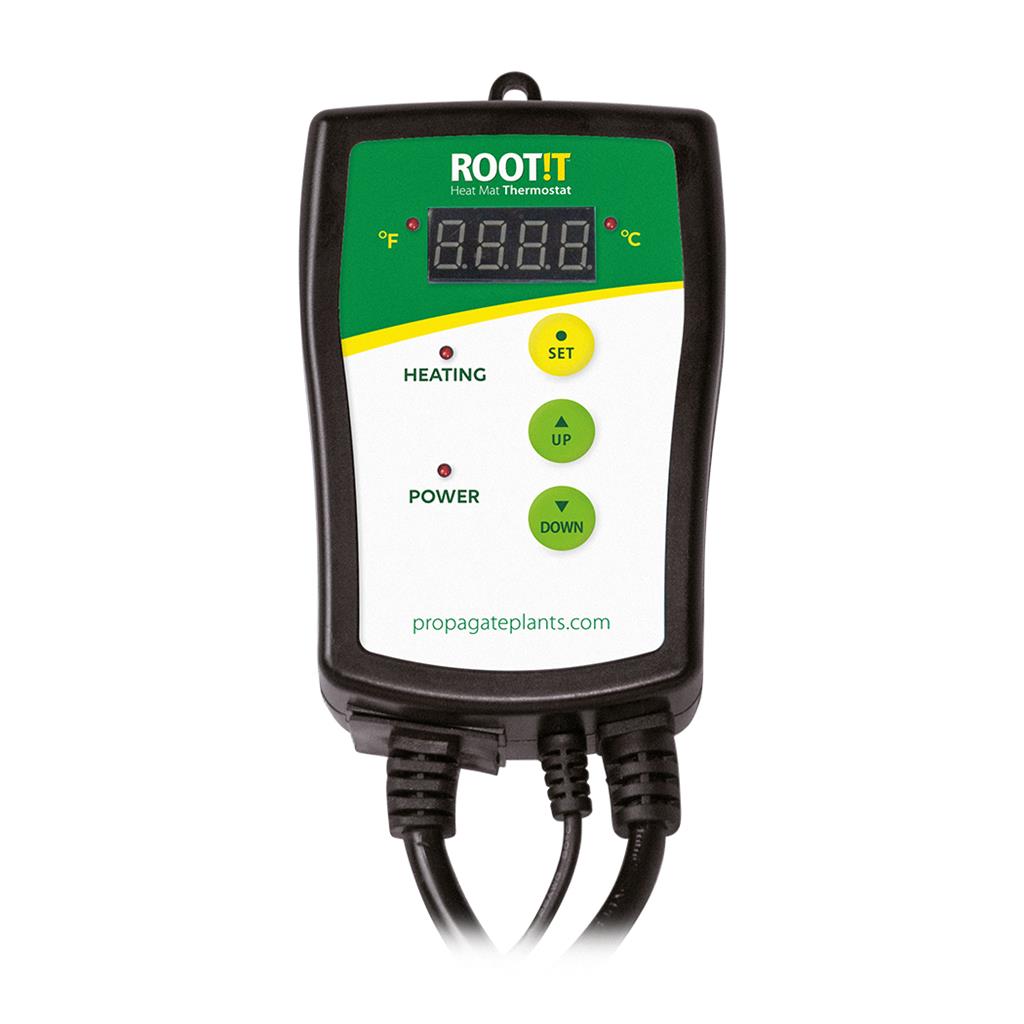
ROOT!T Heat Mat Thermostat | Propagation Temperature Controller

Regular price £30.00
Sale price £30.00 Regular price
Sale Sold out
Tax included. Shipping calculated at checkout.
The ROOT!T Heat Mat Thermostat is a precision digital temperature controller designed to manage and maintain the perfect root zone warmth inside your propagator. Fluctuating temperatures can severely delay seed germination or shock fresh cuttings. This electronic controller completely removes the guesswork by automatically switching your heating element on or off to maintain your exact target temperature.
The unit features an incredibly simple, user-friendly digital display that tracks real-time progress. Built for high-humidity growing environments, it is compatible with all ROOT!T heat mats—as well as most other heavy-duty propagation mats up to a maximum load capacity of 1000 Watts.
Key Technical Specifications
  • Temperature Control Range: 20°C to 42°C
  • Maximum Electrical Load: 1000 Watts / 4.3 Amps
  • Voltage: Standard UK 230V / 50Hz
  • Sensor Probe: Waterproof NTC sensor with an extra-long lead for flexible placement.
Best Uses
  • Sensitive Seed Germination: Maintains strict, unvarying heat levels for finicky, high-value seeds like chillies, exotic flowers, and tomatoes.
  • Overheating Prevention: Acts as a vital safety cut-off to ensure heat mats do not get too hot and scorch delicate young roots in small setups.
  • Winter Cold Prevention: Keeps root temperatures entirely stable in cold winter greenhouses, garages, or unheated outbuildings.
How to Use the Thermostat
  1. Position the Mat: Place your propagation heat mat on a flat, dry surface away from standing water, and rest your propagator on top.
  2. Insert the Probe: Push the waterproof temperature sensor probe down through one of the top vents of your propagator lid. Ensure the tip is buried directly into the compost or rooting medium near the plant roots.
  3. Connect the Power: Plug your heat mat directly into the front trailing socket of the ROOT!T Thermostat, then plug the thermostat itself into a standard UK mains wall outlet.
  4. Set Your Target Temperature: Press and hold the "Set" button on the digital display. Use the up and down arrow buttons to select your desired target temperature in Celsius. Press "Set" again to save.
  5. Monitor Your Setup: The digital screen will display the current live temperature reading. The unit will now automatically cycle power to the mat to safely hold that exact heat level.
  • Express Delivery
  • Expert Advice
  • Visit Us Today
Secure checkout with Payment methods
  • American Express
  • Apple Pay
  • Diners Club
  • Discover
  • Google Pay
  • Klarna
  • Maestro
  • Mastercard
  • PayPal
  • Shop Pay
  • Union Pay
  • Visa

View Product Details