Skip to product information
1 of 6

Controller 69 Pro | 4-Device Independent WiFi & Bluetooth

Regular price £90.99
Sale price £90.99 Regular price
Sale Sold out
Tax included. Shipping calculated at checkout.
The Ultimate Smart Hub for Complete Grow Room Automation
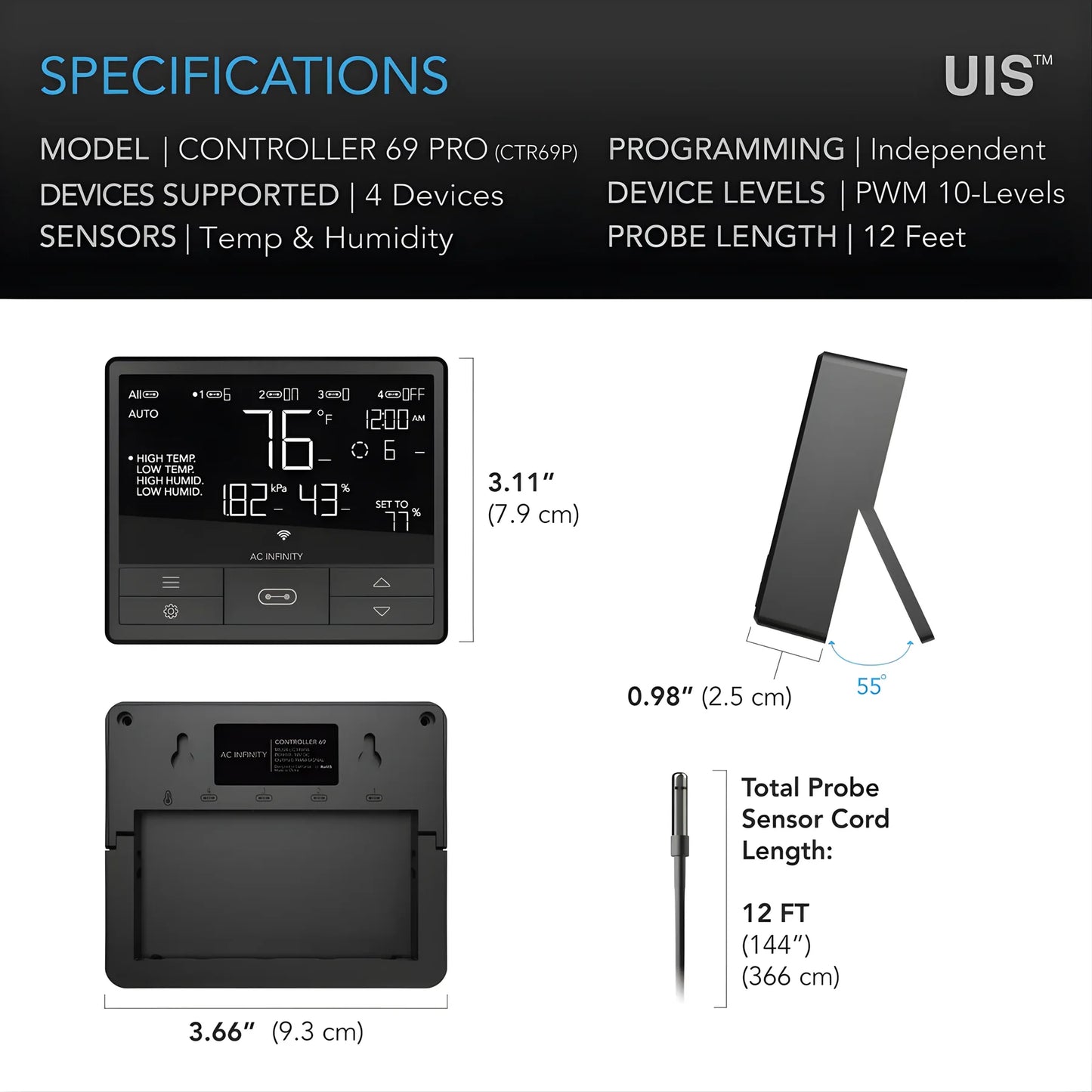
Take absolute control over your microclimate with the cutting-edge Controller 69 Pro. Designed as the central brain for modern indoor cultivation, this advanced smart hub features four independent ports to manage your entire grow ecosystem. Unlike standard controllers that force all gear to run on the same schedule, this pro-tier system allows you to create completely independent programs for four devices simultaneously.
Equipped with both Bluetooth and WiFi protocols, the controller offers seamless local and cloud-based management. Connect your inline fans, clip-on fans, grow lights, and humidifiers to orchestrate the perfect climate. Whether you are running a single complex tent or managing multiple cycles across different spaces, this central hub gives you the data and power needed to optimize plant health and maximize crop yields.

How to Use the Controller 69 Pro
Follow these straightforward steps to install, pair, and configure your advanced automation hub.
1. Hardware Integration
  • Mount the control unit outside your grow room or on your tent frame using the included hardware or magnetic backing.
  • Plug your primary grow equipment (up to four UIS-compatible devices) into ports 1 through 4.
  • Connect the main power supply adapter to the controller and plug it into a standard mains outlet.
2. App Pairing (Bluetooth + WiFi)
  • Download and open the official ecosystem Data App on your smartphone.
  • Enable your phone's Bluetooth to automatically detect the controller for a quick local connection.
  • Follow the on-screen prompts within the app to link the controller to your local 2.4GHz WiFi network for secure, long-range remote monitoring from anywhere in the world.
3. Setting Up Independent Programs
  • Navigate to the app dashboard and select individual ports to customize settings for each attached device.
  • Automated Triggers: Set high and low climate thresholds (temperature and humidity) to automatically speed up inline fans or turn on humidifiers.
  • Custom Schedules: Program precise on/off times for your grow lights or set cycling timers for circulation fans to mimic natural outdoor breezes.
4. Analyzing Climate Data Logs
  • Open the app's data tab to review real-time and historical climate trends.
  • Track data graphs over days, weeks, or months to pinpoint precise environmental shifts or equipment performance gaps.
  • Export your data logs directly from the app to refine your cultivation strategies between harvest cycles.

Key Specifications & Tech Advantages
  • True Independent Control: Run a light on an 18/6 cycle on Port 1 while simultaneously running an intake fan on a dynamic humidity trigger on Port 2.
  • VPD Target Logic: Advanced programming options allow you to automate equipment based on exact Vapor Pressure Deficit (VPD) targets rather than raw temperature alone.
  • Backup Memory: Built-in internal memory retains your programming configurations and historical data logs even during unexpected power outages.
  • Compatibility

    Devices in the UIS™ platform, including all AC Infinity LED grow lights and EC fans, are compatible.

  • AIRLIFT Series – Shutter Exhaust Fans
    CLOUDFORGE Series – Environmental Humidifiers
    CLOUDLIFT Series – Floor Wall Circulation Fans
    CLOUDLINE Series – Inline Duct Fans
    CLOUDRAY Series – Clip-on Circulation Fans
    CLOUDWAY Series – Whole House Fans
    IONBEAM Series – LED Grow Light Bars
    IONBOARD Series – LED Grow Light Boards
    UIS Control Plug – Control Outlet Devices (0=Off, 1-10=On)
    UIS Lighting Adapters – Control Other Brand Lights
  • Express Delivery
  • Expert Advice
  • Visit Us Today
Secure checkout with Payment methods
  • American Express
  • Apple Pay
  • Diners Club
  • Discover
  • Google Pay
  • Klarna
  • Maestro
  • Mastercard
  • PayPal
  • Shop Pay
  • Union Pay
  • USDC
  • Visa

View Product Details